28
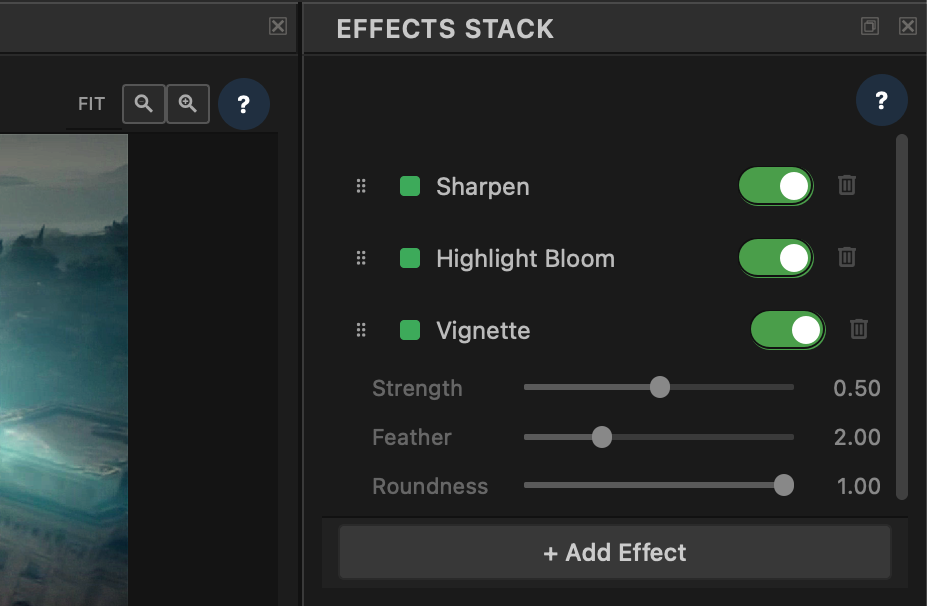
An ordered Effects Stack runs after colour correction — five shipping modules today, on an open modular architecture so finishing does not stop at the factory set.
Effects sit after the Layer Stack — still in scene-linear ACEScg. Finish texture, glow, edge, blur, and falloff without reopening the grade underneath. Add cards, reorder them, enable or disable individually. Bypass live effects in the viewer when you want a clean read of colour alone; export still applies what’s enabled.
Order matters. Bloom before grain feels different from grain before bloom. Build a deliberate finishing stack for the shot — then change your mind without baking anything.
Built-in today. Each is a real module on the same contract community authors use — not a hard-wired filter list.
| Module | What it does | Key controls |
|---|---|---|
|
Film Film Grain |
Photographic grain texture in ACEScg linear light | Strength · Grain Size · Monochrome · Blend |
|
Optical Highlight Bloom |
Optical glow on bright tones — soft, filmic bloom | Threshold · Softness · Radius · Strength · Blend |
|
Optical Vignette |
Edge falloff to pull attention into the frame | Strength · Feather · Roundness |
|
Detail Sharpen |
Edge definition after the grade is locked | Amount · Radius · Blend |
|
Detail Blur |
Controlled softness — haze, de-emphasis, or stack glue | Radius · Blend |
Open design. Effects are not a closed filter menu. They are modules — the same container architecture used across Transduce (decoders, encoders, effects, analysis). Built-ins and author-built looks run side by side on one ordered stack.
Open design. Implement the EffectsModule interface: a manifest (name, version, author, params) plus an apply() that takes and returns float32 ACEScg on GPU or CPU. Package as .a2fmod. Install through Module Manager (⌘M) — your module appears in + Add Effect next to Film Grain and Sharpen.
Same pipeline stage. Same reorder / enable / bypass behaviour. Same per-clip params and undo. The core never hard-codes effect names — it dispatches through the registry in the order you stack.
Use the five shipping modules today. Create your own when you need a look the factory set does not cover — open design, same Effects Stack.