← Features
Pipeline

Delivery Profile & Analyzer

Two tools in Project Settings — related, not the same. Analyzer forensically reads a trusted reference. Delivery Profile carries that technical spec forward as a reusable file.

Post houses and facilities speak in delivery specs: container, geometry, colour encoding, bit depth. AI generators rarely hand you that rulebook cleanly. Transduce puts both discovery and reuse in one place — without merging them into a single vague “profile button.”

Industry unique

Analyzer — read the reference forensically

Drop a still or pick a frame from a video. Transduce compares header claims against pixel evidence — especially useful when AI remuxes disagree with their own tags.
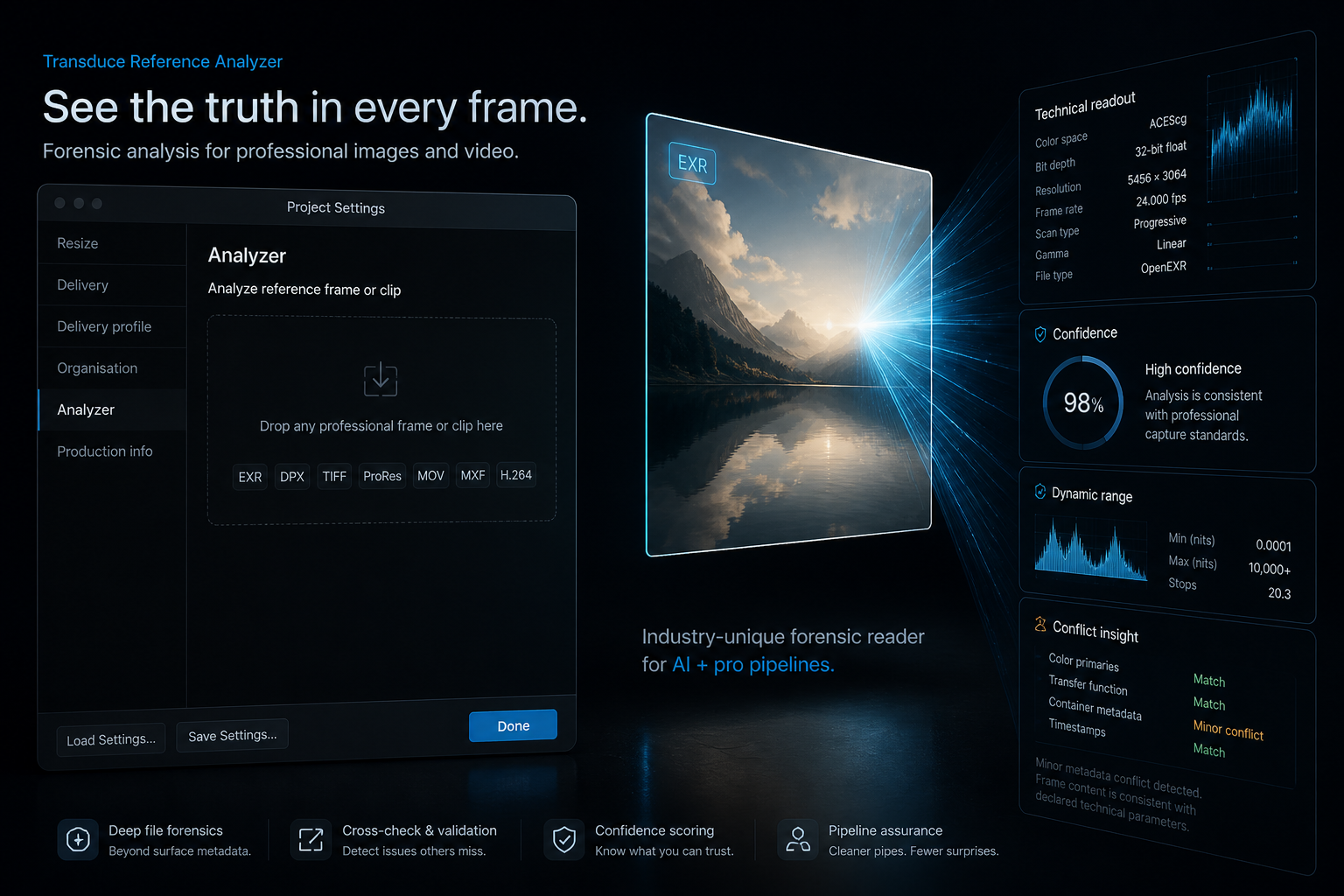
Analyzer in Project Settings with a professional reference being inspected for technical delivery facts
What Analyzer does Detail
Accepts Common professional stills and video references — EXR, DPX, TIFF, PNG, ProRes MOV, MXF, H.264 MP4, and more
Reads Technical metadata: format, codec, frame size/rate, PAR, bit depth, transfer, primaries, range, compression — plus EXR/DPX-specific fields when present
Checks pixels Samples a centre crop of the selected frame for value distribution, range behaviour, and linear/log cues
Surfaces conflict Flags when tags and pixel evidence disagree — confidence scored, not silently “fixed”
Creates A proposed Delivery Profile you can apply or save — not a grade, LUT, or full QC report

Video analyzes one user-selected frame — not every frame of the clip. Analyzer helps surface questionable metadata; it does not certify house acceptance.
Handoff: Analyzer discovers the technical picture of a reference. Delivery Profile is how that picture travels with the project.
Reusable spec

Delivery Profile — carry the house rulebook

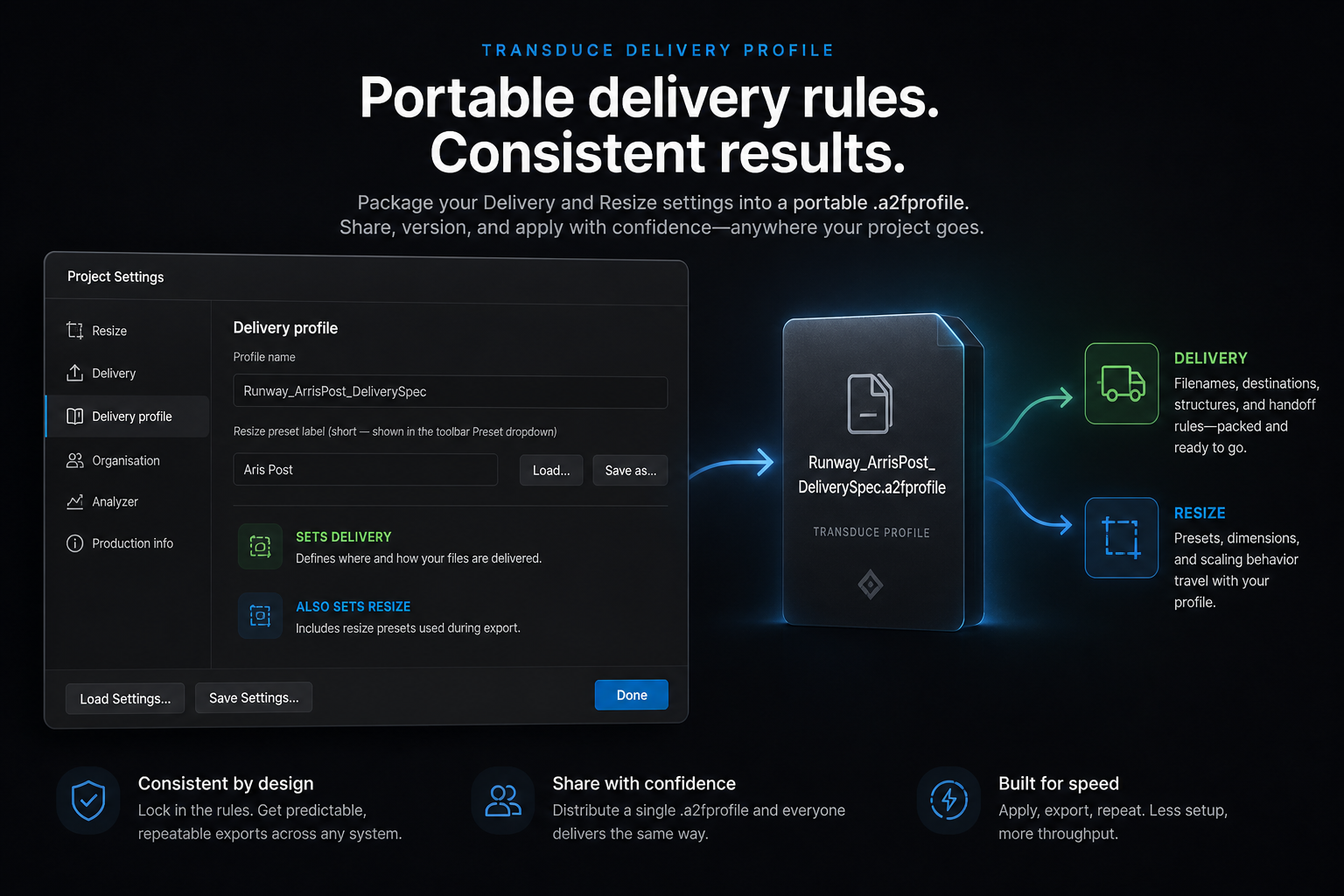
A portable .a2fprofile file: format, codec, geometry, colour encoding targets, and related technical fields — named for your facility.

Delivery Profile in Project Settings showing profile name, resize preset label, and sets Delivery / Resize
What the profile does Detail
Saves / loads Portable .a2fprofile JSON — take a house spec between projects
Sets Delivery Guides Output Panel format / encoder choices toward the agreed target
Also sets Resize Applies output resolution and pixel aspect into project Resize (with a short preset label for the toolbar)
Active indicator Output Panel shows the active profile and warns when the chosen format diverges — panels stay editable, not hard-locked

Same window · different jobs

Both live in Project Settings, beside Resize and Delivery — siblings, not duplicates.

Analyzer Delivery Profile
Job Inspect one reference frame Save, load, and apply a technical spec
Input A trusted still or selected video frame An analysis result or a .a2fprofile file
Output Evidence, confidence, conflicts → proposed profile Project delivery + resize guided by that profile

Related

AnalyzerForensic read of a house reference.
ConflictsTags vs pixels — surfaced, not buried.
.a2fprofilePortable delivery rulebook.
Guided outputWarns on mismatch — stays editable.

Analyze the reference. Carry the spec forward.

Two tools. One Project Settings window. Delivery targets that survive the night’s batch.

Download for macOS (Apple Silicon) Available for macOS on Apple Silicon only. Windows & Linux coming soon.